
Write by hand or type
Type your content or add handwriting to pages and PDFs. Add text annotations and highlights to PDFs to keep ideas and corrections beside the source.
Create custom tables, combine reusable components and write by hand. Bring in PDFs, add annotations and arrange pages, then export or print your work. Make room for study, work and everyday plans.
Preparing for launch · iPhone and iPad
Launching free. Pro is not available yet.
A little room for the week ahead.
| Task | Day | Done |
|---|---|---|
| Read & collect | Mon | ☐ |
| Make something | Wed | ☐ |
| Weekly review | Sun | ☐ |
From a record sheet to a collection of pages, arrange content around your task and save layouts to use again.
Edit column names, add or remove rows and columns, adjust column widths and set a uniform row height. Choose fields such as text, numbers and dates. Use numeric columns for basic arithmetic and totals.
| Task | Day | Done |
|---|---|---|
| Read & collect | Mon | ☐ |
| Make something | Wed | ☐ |
| Weekly review | Sun | ☐ |
Type your content or add handwriting to pages and PDFs. Add text annotations and highlights to PDFs to keep ideas and corrections beside the source.
Save frequently used components to your personal library, or save a whole page as a template. Add them to a new page to reuse familiar layouts and content.
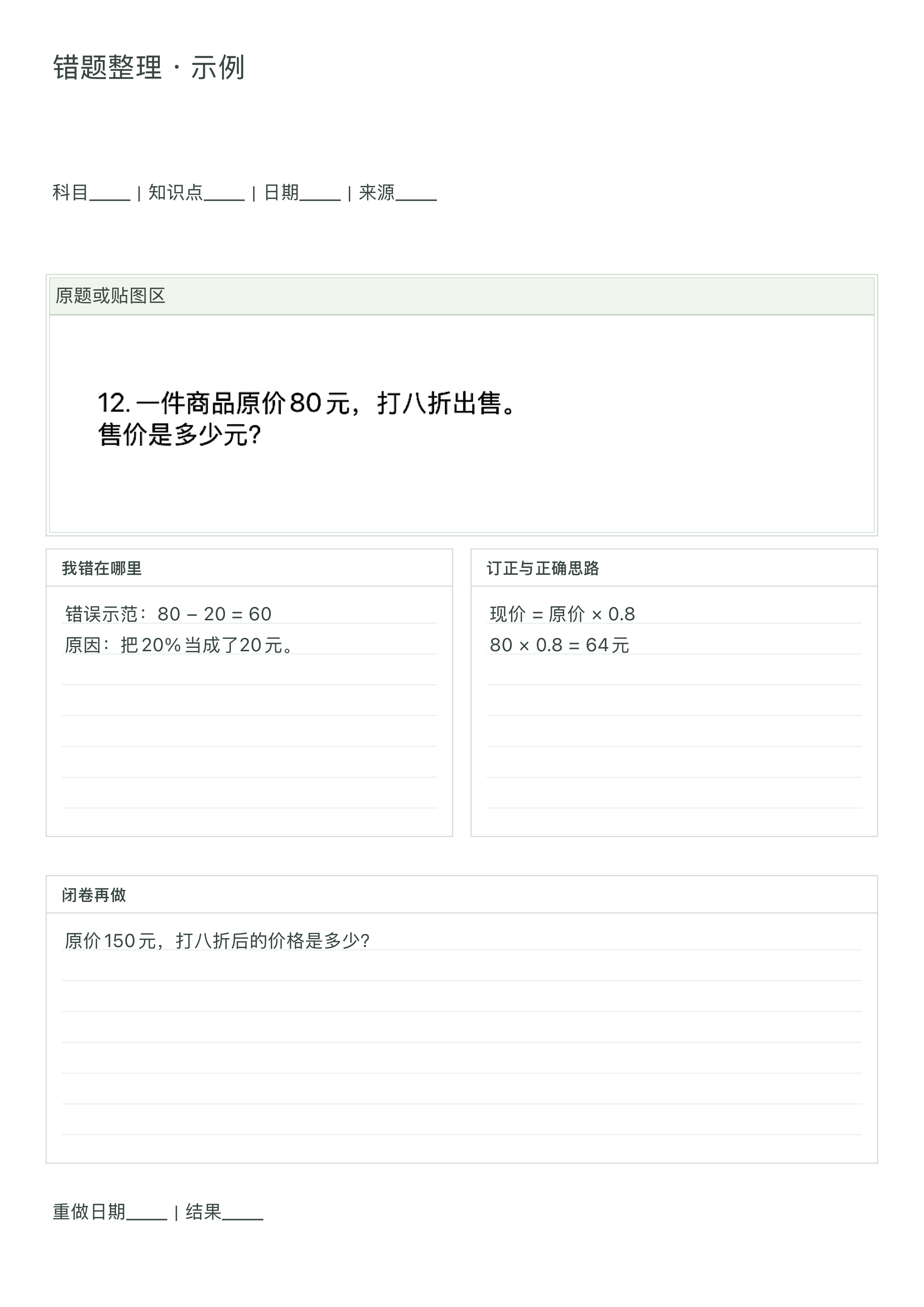
Combine question images, correction tables and space to write. This study-page example was exported from Paper in Place.
Import PDFs and photos, or scan documents with the camera. Combine pages, insert new ones and change their order. Export selected pages as PDF, PNG or JPG, or print a PDF.
Crop questions and answers, make question sets and flashcards, schedule reviews and revisit your study records. Extracted and generated content is a draft: check it and its answers against the source.
Start with a blank page or a template, then choose a paper size for your task.
Add components, adjust their position and size, then type or write by hand.
Choose a page range and export as PDF, PNG or JPG. Print a PDF when you need a paper copy.
Your pages and personal templates are stored on your device. No account is required. Create, export and restore local backups; account-based cloud sync is not currently provided.
Preparing for launch · iPhone and iPad
Contact support